
 All posts

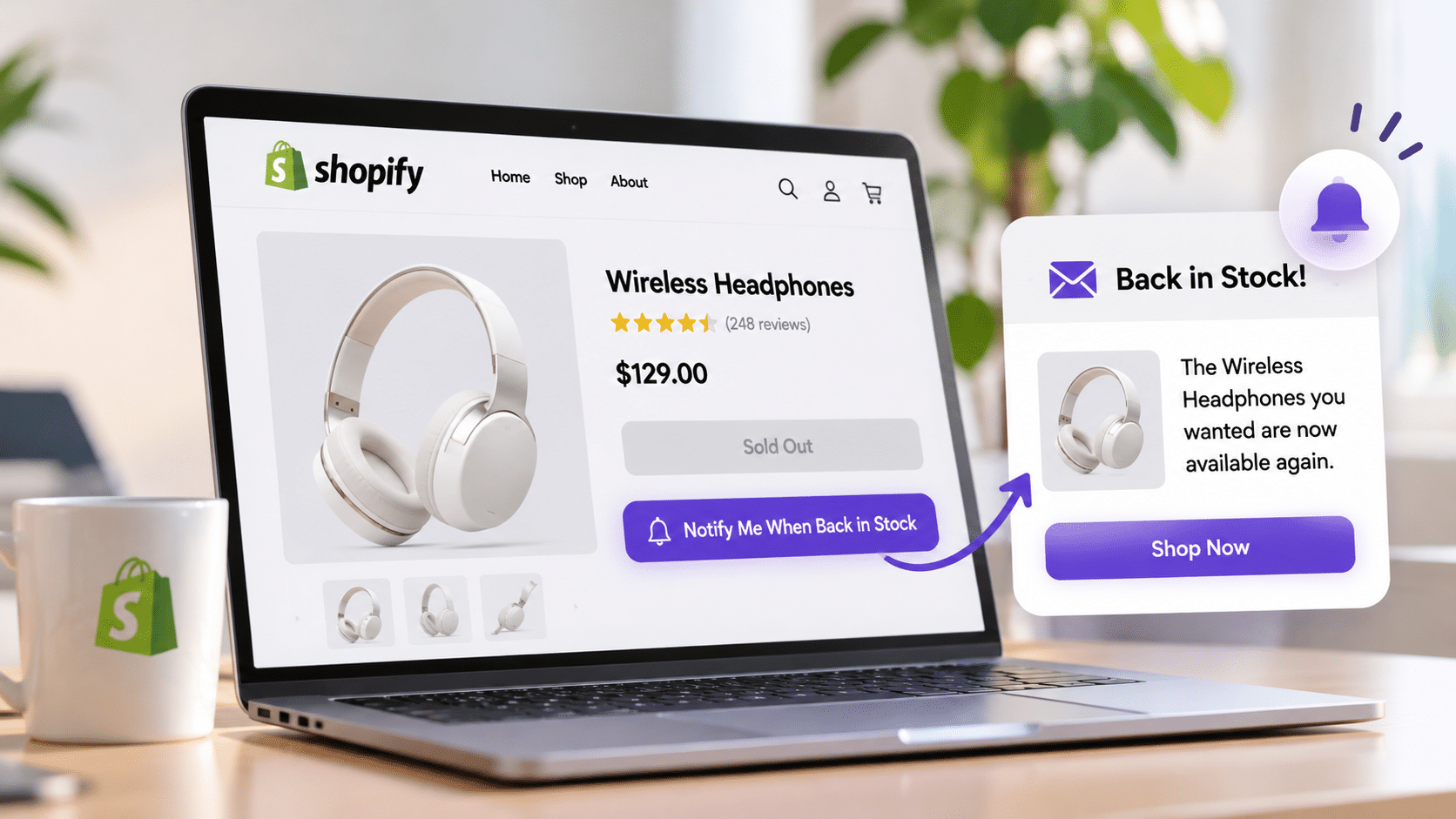
Shopify notify when back in stock notifications help online store owners reconnect with customers when previously unavailable products become available again. Instead of losing potential buyers when products sell out, merchants can collect customer subscriptions and automatically send restock alerts through email or SMS.
When a popular product is out of stock, customers may leave your store and purchase from a competitor. A back in stock notification gives them a reason to return by letting them know when their preferred product is available again.
In this guide, you’ll learn how Shopify back in stock notifications work, how to add a Notify Me button to your product pages, how to automate restock emails and SMS alerts, and how to recover potential sales from sold-out products.
Boost Your Conversion Instantly with Nudgify: Turn your website visitors into customers with real-time Social Proof and FOMO Nudges. Get Started Now →
Table of Contents
- What Are Shopify Back in Stock Notifications?
- Does Shopify Automatically Notify Customers?
- How to Set Up Shopify Notify When Back in Stock
- How to Set Up Automated Restock Emails
- How to Send SMS Restock Notifications
- Best Shopify Back in Stock Notification Apps
- Best Practices for Restock Notifications
- How to Recover Lost Sales
- How to Track Notification Performance
- Common Problems and Solutions
- Key Takeaways
- Frequently Asked Questions
What Are Shopify Back in Stock Notifications?
Shopify back in stock notifications are automated alerts that inform customers when a previously unavailable product becomes available for purchase again. They allow shoppers to register their interest in an out-of-stock item and receive an update when the store replenishes its inventory.
These notifications are commonly delivered through email or SMS. Some Shopify apps also support additional communication channels, depending on their features.
For example, imagine a customer wants to purchase a pair of shoes, but their preferred size is sold out. Instead of leaving your store, they can click a Notify Me When Available button and provide their email address. When that size is restocked, they receive an alert with a link to the product.
How Do Back in Stock Notifications Work?
A typical Shopify notify when back in stock system follows six steps:
Increase Trust & Sales with Social Proof
Boost trust, engagement, and conversions with Social Proof — tailored for any industry and easy to integrate. Seamlessly manage client access with our team portal.


- A customer finds an unavailable product. The product or a specific variant is out of stock.
- The customer requests an alert. They click the Notify Me button and provide their contact information.
- The subscription is recorded. The system associates the customer with the relevant product or variant.
- The product is restocked. The merchant updates the available inventory in Shopify.
- A notification is triggered. The connected app or automation identifies the restock event.
- The customer returns to the store. They follow the product link and can purchase the available item.
What Is a Notify Me When Available Button?
A Notify Me When Available button is a signup option displayed on an out-of-stock product page. It gives shoppers an alternative to leaving your website when their preferred item is unavailable.
When customers click the button, they can enter their email address or phone number to request an availability alert. Some apps also allow shoppers to select their preferred size, color, or other product variant.
Keep the button visible and use straightforward wording such as “Notify Me When Available” or “Get Restock Alert.”
Why Are Restock Alerts Important for Shopify Stores?
Out-of-stock products can create missed purchasing opportunities. Without a way to reconnect with interested shoppers, merchants risk losing customers who might otherwise return after inventory is replenished.
Restock notifications help Shopify merchants:
- Recover potential sales: Bring interested shoppers back when their preferred products become available.
- Capture customer demand: Identify which sold-out products customers still want to purchase.
- Improve customer experience: Give shoppers a convenient way to receive availability updates.
- Build customer relationships: Maintain communication between shopping visits.
- Improve inventory planning: Use subscription activity to identify products with strong customer interest.
Back in Stock Notifications vs. Low Stock Alerts
Both notification types relate to product inventory, but they serve different purposes.
| Feature | Back in Stock Notification | Low Stock Alert |
|---|---|---|
| Purpose | Notify customers when an unavailable product becomes available again. | Inform shoppers when available inventory is running low. |
| Timing | After inventory is replenished. | While the product is still available. |
| Primary Goal | Recover missed purchasing opportunities. | Communicate genuine product scarcity. |
| Customer Action | Return to the store and purchase the product. | Consider purchasing before the product sells out. |
Does Shopify Automatically Notify Customers When Products Are Back in Stock?
Shopify does not automatically manage customer restock subscriptions and send availability alerts to everyone interested in a sold-out product. Merchants generally need a dedicated notification app, an email marketing integration, or a custom solution to provide this functionality.
What Shopify Provides by Default
Shopify includes inventory tracking and standard store notifications, such as order confirmations and shipping updates. However, these features do not automatically create a customer waitlist for unavailable products.
A complete restock notification system needs to connect three things:
- The product or variant that is unavailable.
- The customer who requested an availability alert.
- The inventory event indicating that the product is available again.
A dedicated app can manage these elements and automate customer communication.
Can You Use Shopify Flow for Back in Stock Notifications?
Yes. Shopify Flow includes a Product variant back in stock trigger that can start an automation workflow when a tracked variant’s inventory changes from zero or less to one or more.
For example, you can use this trigger to start an inventory-related workflow or connect an appropriate notification service.
However, detecting a restock event is not the same as notifying customers who subscribed to that product. You still need an integration or custom functionality that matches the inventory event with the correct subscribers and sends their alerts.
You can learn more about automation through the Shopify Flow documentation.
How to Set Up Shopify Notify When Back in Stock
There are several ways to set up Shopify notify when back in stock functionality. The best option depends on your budget, technical experience, existing marketing tools, and the level of automation you need.
Method 1: Install a Shopify Back in Stock Notification App
Using a dedicated Shopify app is generally the easiest option for merchants who want to automate restock alerts without building a custom system.
Follow these steps:
- Choose an app. Browse the Shopify App Store and compare available back in stock notification solutions.
- Install the app. Connect it to your Shopify store and review the permissions it requests.
- Activate the app embed. If required, enable the notification app in your Shopify theme editor.
- Configure the Notify Me button. Customize its text, placement, appearance, and signup fields.
- Choose notification channels. Enable email or SMS, depending on your app and business requirements.
- Configure automation. Make sure the app can detect inventory changes and notify the correct subscribers.
- Test the process. Subscribe using a test email address, restock a product, and confirm that the alert is delivered.
Before selecting an app, review its pricing, notification limits, theme compatibility, supported communication channels, and reporting features.
Method 2: Connect Your Existing Email Marketing Platform
If your store already uses an email marketing platform, check whether it supports back in stock automation or integrates with a dedicated restock notification app.
This approach allows you to manage availability alerts alongside your existing email campaigns.
- Connect your Shopify store to your email marketing platform.
- Enable a restock subscription form or connect a notification app.
- Record the customer’s contact information and selected product variant.
- Create an automation that responds to a verified inventory restock event.
- Build an email containing the product name, availability update, and direct product link.
- Test the workflow before activating it for customers.
Remember that connecting an email platform alone does not automatically create a customer waitlist. You still need a way to collect subscriptions and match them with inventory changes.
Method 3: Create an Automation Using Shopify Flow
Shopify Flow is useful for merchants who want more control over their store’s automation processes.
- Open Shopify Flow from your Shopify admin.
- Create a new workflow.
- Select the Product variant back in stock trigger.
- Add any conditions needed to identify specific products or variants.
- Configure supported workflow actions or connect a notification service.
- Save and activate the workflow.
- Test it by changing a tracked variant’s inventory from zero to one or more.
Remember that Shopify Flow detects inventory events. It does not independently manage customer subscriptions or send personalized restock messages to every person on a waitlist.
Method 4: Build a Custom Notify Me Form
Merchants with development experience can build a custom solution without relying on a dedicated notification app.
A custom form can collect customer contact details and the specific product variant they want. The information can then be stored in a database and connected to an inventory monitoring and messaging system.
However, this approach requires development work, including subscription management, inventory monitoring, notification delivery, duplicate prevention, and customer consent management.
For most small and medium-sized Shopify stores, a dedicated app is easier to set up and maintain.
How to Set Up Automated Shopify Back in Stock Emails
Email is one of the most practical ways to send restock alerts. It allows you to include product images, availability information, and a direct link back to your store.
Create a Back in Stock Email Workflow
Configure your automation to identify the customers who subscribed to a product or variant when inventory becomes available again.
Before activating the workflow, check that the product is genuinely available, the correct subscribers are selected, and duplicate notifications are prevented.
Customize Your Restock Email Template
A good back in stock email should contain:
- A clear subject line announcing the availability update.
- The product name and image.
- The selected size, color, or other variant, where relevant.
- A short and helpful availability message.
- A prominent Shop Now or View Product button.
- A direct link to the correct product page.
Keep the message focused on the product the customer requested. Avoid adding unrelated promotions that distract from the main purpose of the notification.
Examples of Back in Stock Email Subject Lines
- Your Favorite Product Is Back in Stock!
- Good News! The Product You Wanted Is Available Again
- It’s Back! Shop Your Favorite Item Today
- Your Requested Restock Alert Has Arrived
- Your Selected Size Is Available Again
When Should You Send Restock Emails?
Send the notification as soon as the inventory update is confirmed and the product is available for purchase.
Avoid sending alerts when products are reserved for other orders, unavailable in certain regions, or only temporarily available due to an inventory synchronization issue.
How to Send Shopify Back in Stock SMS Notifications
SMS notifications provide another way to reconnect with interested customers. They work well for short availability updates that direct shoppers back to a product page.
Email vs. SMS Restock Alerts
| Factor | SMS | |
|---|---|---|
| Message Format | Supports longer messages, images, and detailed product information. | Best for short, direct availability updates. |
| Required Information | Customer email address. | Customer mobile phone number. |
| Content | Product details, images, and shopping links. | Availability updates and direct product links. |
| Cost | Depends on the email marketing service and subscription plan. | May involve additional per-message charges. |
How to Set Up SMS Restock Alerts
- Choose a notification app that supports SMS.
- Enable the phone number field in the subscription form.
- Connect your supported SMS provider if required.
- Configure the restock message.
- Include a direct link to the available product.
- Test the message and delivery process.
Always obtain the required customer permission before sending SMS messages. Explain what customers are signing up for, respect opt-out requests, and follow the applicable messaging requirements in your customers’ locations.
Best Shopify Back in Stock Notification Apps
Choosing the right app can make Shopify notify when back in stock functionality easier to manage. Different solutions offer different features, so compare them based on your store’s requirements rather than popularity alone.
Features to Look for in a Restock Notification App
- Automated restock alerts: Detect inventory changes and notify subscribers automatically.
- Email support: Create customizable restock emails.
- SMS support: Offer text message notifications where appropriate.
- Customizable signup buttons: Adjust the wording and appearance of the Notify Me button.
- Variant-level tracking: Manage subscriptions for specific sizes, colors, and product options.
- Subscriber management: View and manage customer requests.
- Analytics: Track subscriptions, clicks, and purchases.
- Theme compatibility: Make sure the app works with your Shopify storefront.
Free vs. Paid Back in Stock Apps
Some Shopify apps offer free plans with limited notifications or basic functionality. Paid plans may include higher notification limits, SMS support, advanced customization, and detailed analytics.
Before choosing a plan, check whether automated notifications are included or whether the free version only provides a basic signup form.
How to Choose the Right App
Start by identifying the features your store actually needs.
- Choose automated inventory tracking if your products frequently sell out.
- Prioritize variant-level subscriptions if you sell products in different sizes or colors.
- Look for email marketing integrations if you already run automated campaigns.
- Consider SMS support if your customers prefer text notifications.
- Choose detailed analytics if you want to measure revenue from restock alerts.
Test the app on your actual Shopify theme before activating it across your store.
Best Practices for Shopify Back in Stock Notifications
Adding a notification feature is only the first step. Your button placement, signup experience, message timing, and inventory accuracy all influence how useful your restock campaigns become.
Make the Notify Me Button Easy to Find
Place the button where shoppers naturally expect to find purchasing options, usually near the Add to Cart area. Use clear wording and make sure the form works on mobile devices.
Track Product Variants and Customer Preferences
Make sure customers receive alerts for the exact variant they selected. A shopper waiting for a medium shirt should not receive an alert simply because the small size has been restocked.
Send Notifications at the Right Time
Send alerts promptly after inventory is confirmed. Check that products are actually available for purchase before notifying subscribers.
Prevent Duplicate Notifications
Review your notification settings and active workflows to prevent customers from receiving repeated alerts for the same restock event.
Keep Messages Clear and Relevant
Include the product name, relevant variant, availability update, and direct shopping link. Avoid unnecessary promotional content.
Obtain Proper Customer Consent
Explain how customer information will be used. Keep marketing consent separate where required, protect personal information, and provide a straightforward unsubscribe process.
How to Recover Lost Sales With Back in Stock Notifications
Restock alerts can bring potential customers back to your Shopify store, but they are only one part of a broader conversion strategy.
Turn Out-of-Stock Visitors Into Potential Customers
Instead of displaying only a Sold Out message, offer shoppers a way to request an availability update. This helps maintain their interest until the product returns.
Create Waitlists for Popular Products
Waitlists help identify products that attract strong customer interest. Review subscription numbers alongside sales history to understand which items may need additional inventory.
Combine Restock Alerts With Low Stock Notifications
Back in stock alerts bring interested customers back after replenishment. Low-stock notifications can then communicate when available inventory is genuinely limited.
For example, a shopper receives an email that their preferred product is available again. When they return to the product page, an accurate low-stock message can help them understand that inventory may change.
Use Social Proof to Build Purchase Confidence
Social proof notifications can complement restock alerts by displaying genuine customer activity, recent purchases, or product interest.
For example, a restock email brings a customer back to a product page, while a genuine recent purchase notification can provide additional reassurance during their shopping journey.
Nudgify helps Shopify merchants display social proof, recent sales, and low-stock notifications on their websites. These features complement dedicated back in stock systems by helping build trust and communicate genuine purchasing activity.
Explore more conversion optimization ideas on the Nudgify blog.
Create Urgency Without Misleading Customers
Scarcity can influence purchasing decisions, but it should always reflect actual inventory conditions. Avoid fake countdowns, exaggerated stock claims, or messages that suggest a product is nearly sold out when it is not.
How to Track Shopify Back in Stock Notification Performance
Monitoring campaign performance helps you understand whether your restock strategy is bringing customers back and generating sales.
Monitor Notification Signups
Track how many customers subscribe to alerts for each product and variant. High subscription numbers may indicate strong customer demand.
Measure Email Click-Through Rates
Monitor how many recipients click the product link in your restock emails. This helps you understand whether your message encourages customers to revisit your store.
Track Restock Notification Conversions
Measure how many customers purchase after receiving an availability alert. Use your notification app’s reporting or compatible tracking tools to identify campaigns that generate purchases.
Measure Recovered Revenue
Compare revenue attributed to restock alerts against the cost of your notification app and messaging services. Use consistent attribution rules to avoid counting the same purchase multiple times.
Optimize Your Campaigns
- Test different Notify Me button placements.
- Improve email subject lines and message clarity.
- Check that product links direct customers to the correct variants.
- Review products with many subscriptions but few purchases.
- Compare email and SMS performance.
- Use customer demand to inform inventory planning.
Common Shopify Back in Stock Notification Problems and How to Fix Them
Even with a notification app installed, technical issues can prevent customers from subscribing or receiving alerts.
| Problem | Possible Cause | Recommended Solution |
|---|---|---|
| Notify Me Button Not Showing | App embed is disabled or the theme is incompatible. | Check your Shopify theme settings and app display configuration. |
| Customers Not Receiving Emails | Incorrect contact details or email delivery issues. | Check subscription records and review email delivery logs. |
| Notifications Not Triggering | Inventory tracking is disabled or the trigger is incorrectly configured. | Verify inventory settings and review your automation triggers. |
| Wrong Product Variant in Alert | Incorrect product or variant subscription data. | Verify product variant selection and subscription tracking. |
| Duplicate Notifications | Multiple workflows or repeated inventory events. | Review automation settings and enable duplicate notification prevention where available. |
How to Fix a Notify Me Button That Is Not Showing
Check whether the app embed is enabled in your Shopify theme editor. Review the app’s display settings and confirm that the product meets its stock eligibility requirements.
How to Fix Restock Emails That Are Not Being Delivered
Verify the customer’s subscription status and email address. Review delivery logs and confirm that your email service is connected correctly. Test the notification using a valid email address.
How to Fix Notifications That Are Not Triggering
Confirm that inventory tracking is enabled for the relevant variant. Review the app’s trigger settings and make sure the inventory update has been processed correctly.
How to Prevent Incorrect or Duplicate Alerts
Check that subscriptions are associated with the correct product variants. Review active workflows and make sure your notification system prevents repeated messages for the same restock event.
Key Takeaways
- Shopify does not automatically manage customer restock subscriptions. A dedicated app or custom integration is generally needed to collect requests and send customer-facing alerts.
- Notify Me buttons help retain interested shoppers. They provide a convenient way to request product availability updates.
- Dedicated apps simplify automation. Look for email and SMS support, variant-level tracking, subscriber management, and analytics.
- Shopify Flow can detect inventory changes. Its back in stock trigger can start workflows, but customer notification delivery requires an appropriate integration.
- Relevant messages improve customer experience. Send timely alerts with accurate product and variant information.
- Restock alerts complement social proof. Combine availability updates with genuine low-stock and purchase notifications to support conversions.
- Measure campaign performance. Monitor subscriptions, clicks, purchases, and attributed revenue.
Frequently Asked Questions About Shopify Notify When Back in Stock
Does Shopify Have a Built-in Back in Stock Notification Feature?
Shopify provides inventory tracking and automation features, but it does not automatically manage customer waitlists and send restock alerts to shoppers who subscribe to sold-out products. You generally need a dedicated app or custom integration to provide this functionality.
How Do I Add a Notify Me Button to Shopify?
Install a Shopify back in stock notification app, activate its theme embed if required, and configure the button to appear on out-of-stock product pages. Customize the signup form and test the subscription process before making it available to customers.
Can Shopify Automatically Email Customers When Products Are Restocked?
Not through a standard customer-facing restock subscription feature. You need an app, email marketing integration, or custom workflow that connects inventory changes with customers who requested an alert.
What Is the Best Free Shopify Back in Stock App?
The best free app depends on your store’s requirements. Compare free plans based on notification limits, email and SMS support, variant tracking, customization, and subscriber management. Check whether automated alerts are included before installing an app.
Can Shopify Send SMS Restock Notifications?
Yes. Shopify merchants can offer SMS restock notifications through compatible apps or integrations. You need to collect customer phone numbers, obtain the appropriate permission, and configure an SMS service to deliver the alerts.
Can I Set Up Back in Stock Notifications Without an App?
Yes. You can create a custom signup form, store customer subscription details, monitor inventory changes, and connect the information to an email or SMS service. However, this requires development work or custom automation.
How Do I Notify Customers About a Specific Product Variant?
Use a notification system that supports variant-level subscriptions. Customers should be able to select the exact size, color, or other option they want. The system must match that subscription with the correct variant when inventory becomes available.
How Can I Track Sales From Restock Notifications?
Use your notification app’s analytics or a compatible tracking integration to monitor clicks and purchases attributed to restock messages. Review subscription numbers, click-through rates, conversion rates, and attributed revenue to evaluate performance.
Setting up Shopify notify when back in stock notifications gives customers a convenient way to stay interested in products they cannot purchase immediately. With the right notification system, accurate inventory tracking, and relevant messages, your store can reconnect with potential buyers and recover sales opportunities when products return.

Increase your sales and sign-ups by up
to 15% from $9/mo. only with our Social Proof & FOMO App
Add to Shopify
